

About this product
This is a Left Coast Extracts Pod Battery designed to use for Left Coast Extracts Pods.
How to use:
--- Insert Left Coast pod (Sold Separately) into the battery device prior to use.
— To charge the battery, follow these steps: Locate the port at the bottom of the device and plug the micro-USB end of the provided cable into it. Next, connect the USB end of the cable to a power source that provides no more than 500mA (milliamps) of current. We recommend using a computer power source for this purpose.
— Once the battery is fully charged, the light indicator will change from red to white. At this point, it is recommended to disconnect the battery from the power source.
How to use:
--- Insert Left Coast pod (Sold Separately) into the battery device prior to use.
— To charge the battery, follow these steps: Locate the port at the bottom of the device and plug the micro-USB end of the provided cable into it. Next, connect the USB end of the cable to a power source that provides no more than 500mA (milliamps) of current. We recommend using a computer power source for this purpose.
— Once the battery is fully charged, the light indicator will change from red to white. At this point, it is recommended to disconnect the battery from the power source.
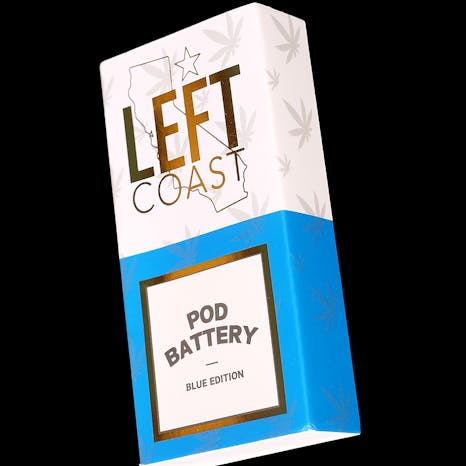

Not available right now
We couldn't find any stores carrying Left Coast Pod Battery Kit BLUE EDITION. Check back soon or explore similar products.
We couldn’t find this item at any stores nearby. Check back later or view similar products.
view similar productsAbout this product
This is a Left Coast Extracts Pod Battery designed to use for Left Coast Extracts Pods.
How to use:
--- Insert Left Coast pod (Sold Separately) into the battery device prior to use.
— To charge the battery, follow these steps: Locate the port at the bottom of the device and plug the micro-USB end of the provided cable into it. Next, connect the USB end of the cable to a power source that provides no more than 500mA (milliamps) of current. We recommend using a computer power source for this purpose.
— Once the battery is fully charged, the light indicator will change from red to white. At this point, it is recommended to disconnect the battery from the power source.
How to use:
--- Insert Left Coast pod (Sold Separately) into the battery device prior to use.
— To charge the battery, follow these steps: Locate the port at the bottom of the device and plug the micro-USB end of the provided cable into it. Next, connect the USB end of the cable to a power source that provides no more than 500mA (milliamps) of current. We recommend using a computer power source for this purpose.
— Once the battery is fully charged, the light indicator will change from red to white. At this point, it is recommended to disconnect the battery from the power source.
No product reviews
Have you tried this product? Be the first to leave a review!
Notice a problem?Report this item